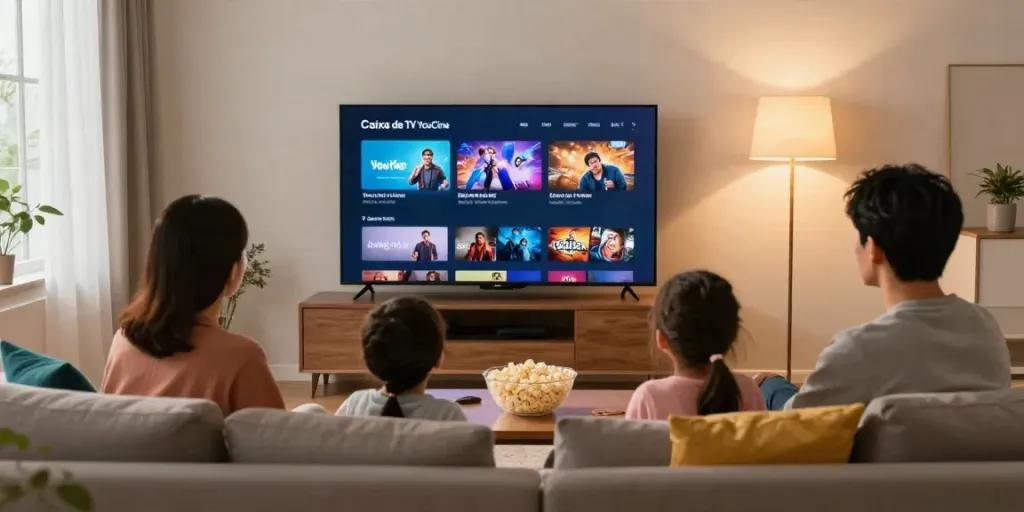
Understanding Caixa de TV YouCine and Its Features
The Caixa de TV YouCine is rapidly gaining popularity as a versatile entertainment solution, particularly for those seeking to enhance their viewing experience at home. With the increasing demand for dedicated streaming devices, YouCine offers a comprehensive suite of features tailored to meet the needs of modern viewers. This device is not just a standard TV box; it integrates seamlessly with various platforms, providing access to a wealth of content and enhancing your overall media consumption. As we explore its functionality, you'll see how the YouCine revolutionizes home entertainment.
What is Caixa de TV YouCine?
At its core, the Caixa de TV YouCine is a streaming device designed for users who want to access a wide array of television shows, movies, and live streams. Functioning on the Android operating system, it allows users to download various applications that cater to their entertainment needs. Users can enjoy content from popular platforms like Netflix, YouTube, and of course, YouCine's native offerings. This device aims to simplify the way we consume media, bringing everything together in one place.
Key Features and Specifications
- High-definition streaming: Supports 4K resolution for an immersive viewing experience.
- User-friendly interface: Designed for ease of navigation, making it accessible for all age groups.
- Built-in apps: Comes pre-installed with popular streaming applications to get you started immediately.
- Strong performance: Equipped with a robust processor and ample RAM for smooth operation.
- Expandable storage: Support for external storage devices to increase your content library.
Step-by-Step Installation Guide
Installing your Caixa de TV YouCine is straightforward. Start by connecting the device to your TV via HDMI. After ensuring that it is powered, follow the on-screen prompts to set up your Wi-Fi network. If you need further information on the installation process, the official YouCine website provides a comprehensive guide for users.
Setting Up Your Caixa de TV YouCine
Choosing the Right Network Connection
Your viewing experience heavily relies on a stable internet connection. You can connect your Caixa de TV YouCine either through Wi-Fi or Ethernet. For optimal performance, a wired connection is recommended, particularly when streaming in high definition.
Connecting to Your Smart TV
To connect the YouCine box to your smart TV, locate the HDMI port on the television and plug in the device. Once connected, select the appropriate HDMI input using your TV remote to begin the setup process.
Initial Setup Process Explained
Upon powering the device, you will be greeted with a setup wizard that will guide you through the initial configurations. This includes selecting your language, connecting to the internet, and signing into your streaming accounts. Following these steps will unlock the full potential of your Caixa de TV YouCine.
Exploring Content on Caixa de TV YouCine
Finding Movies and TV Shows
With Caixa de TV YouCine, finding your favorite movies and TV shows is a breeze. Utilize the search function to look for specific titles or browse through various categories such as Action, Comedy, Drama, and more. The curated suggestions enhance your content discovery experience.
Utilizing Search and Recommendation Features
The recommendation algorithm is designed to suggest content based on your viewing habits, ensuring you're always presented with options that suit your tastes. This is a major advantage for users who prefer personalized entertainment.
Organizing Your Watchlist Efficiently
To make your viewing experience more enjoyable, Caixa de TV YouCine allows you to create a watchlist. This feature enables users to save shows and movies they wish to watch later, making it convenient to pick up where you left off.
Enhancing Your Viewing Experience
Tips for Optimal Streaming Quality
To ensure the best streaming quality, consider the following tips:
- Choose a high-speed internet plan that can support multiple devices.
- Limit the number of connected devices when streaming.
- Adjust video quality settings in the app to match your connection speed.
Using Parental Controls and Profiles
For families, the Caixa de TV YouCine offers parental control options, allowing you to restrict access to content based on age appropriateness. Additionally, individual profiles can be created for family members, ensuring tailored recommendations and watch histories.
Integrating with Other Streaming Services
The versatility of Caixa de TV YouCine is further enhanced by its ability to integrate with other streaming services. You can easily switch between platforms without needing to unplug or switch devices, consolidating your media consumption into one handy device.
Future Trends for Caixa de TV YouCine
Upcoming Features for 2026
As technology evolves, so too does the Caixa de TV YouCine. Anticipate features such as enhanced AI-based recommendations, improved user interface designs, and additional support for emerging streaming platforms. Keeping up with these trends will enhance your viewing experience significantly.
User Community and Support
The YouCine community is growing, with forums and support channels emerging for users to share tips, troubleshoot issues, and discuss features. Engaging with this community can provide added value and insights into making the most of your device.
Anticipated Industry Developments in Streaming
The streaming industry continues to evolve, with trends such as live streaming integration and interactive content becoming more prevalent. The Caixa de TV YouCine is positioned to stay ahead of these trends, ensuring users have access to the latest advancements in media consumption.
How to Troubleshoot Common Issues?
If you encounter issues with your Caixa de TV YouCine, several troubleshooting steps can be effective:
- Restart the device if it becomes unresponsive.
- Check for software updates to ensure you have the latest features and fixes.
- Consult the support documentation for specific error messages.
Can I Use Caixa de TV YouCine on Multiple Devices?
Yes, the Caixa de TV YouCine supports multiple device connections, allowing you to enjoy content across various screens in your home. This flexibility enhances the overall streaming experience, as content can be shared seamlessly.
What Makes Caixa de TV YouCine Stand Out?
What truly differentiates the Caixa de TV YouCine from other devices is its combination of robust performance, user-friendly interface, and extensive content library. This makes it an ideal choice for both casual viewers and serious cinephiles alike.
Are There Any Subscription Costs Involved?
While the device itself is a one-time purchase, accessing premium content may involve subscription fees depending on the service you choose to integrate. However, many free streaming options are available, making the YouCine a cost-effective solution for entertainment.